Case Study
Berber Randevu
A booking system built for a real barbershop and shipped in four days. The appointment book is the Google Calendar the barber already checks every day.
- Timeline
- 4 days
- Status
- Live
- Stack
- Next.js · Google Calendar API
- Built with
- AI assistance
The problem
Bookings arrived scattered across phone calls, WhatsApp and Instagram messages. The barber had to check his phone mid-haircut, appointments written in a paper diary got missed, and there was no way to remind customers who did not show up. Off-the-shelf booking tools charged a monthly fee and meant learning yet another app.
The approach: build on the tool he already used
Instead of teaching a new app, we built the system on top of Google Calendar, which was already open on the barber's phone. The moment a customer picks a slot, the appointment lands in that calendar; day to day the barber never has to open a dashboard. The panel is only needed to configure services, working hours and staff. Customers do not need an account either — a name, a phone number and an email are enough.
The hardest part: two-way calendar sync
An appointment can be changed from four different places. Whichever one is used, the record converges on a single source of truth and everyone involved is notified. The hard part is that the change can happen entirely outside the product — inside the Google Calendar app — where there is no button to hook into.
- Barber · Admin panel
- Barber · Google Calendar app
One appointment record
- Customer · Link in the email
- Customer · Google Calendar app
- When the barber reschedules or cancels from the panel, the calendar updates and the customer is emailed.
- When the barber moves or deletes the event straight from the calendar app, a reconciliation pass running every five minutes catches it: the record updates, the customer and barber are emailed, and the panel flags the booking as moved from the calendar.
- Any event the barber adds to their own calendar — personal errands, a slot promised over the phone — automatically closes those hours to customers. Double bookings cannot happen.
- Customers can cancel or reschedule themselves from the link in their confirmation email; the barber decides how many hours before the appointment that stays allowed.
A guard against silent data loss
When the calendar listing does not return an appointment, the system does not assume it was deleted; it verifies each event individually and only cancels when it is genuinely gone. Without that, a temporary API failure could have cancelled every booking in the shop at once and emailed customers about it.
Screens from the product
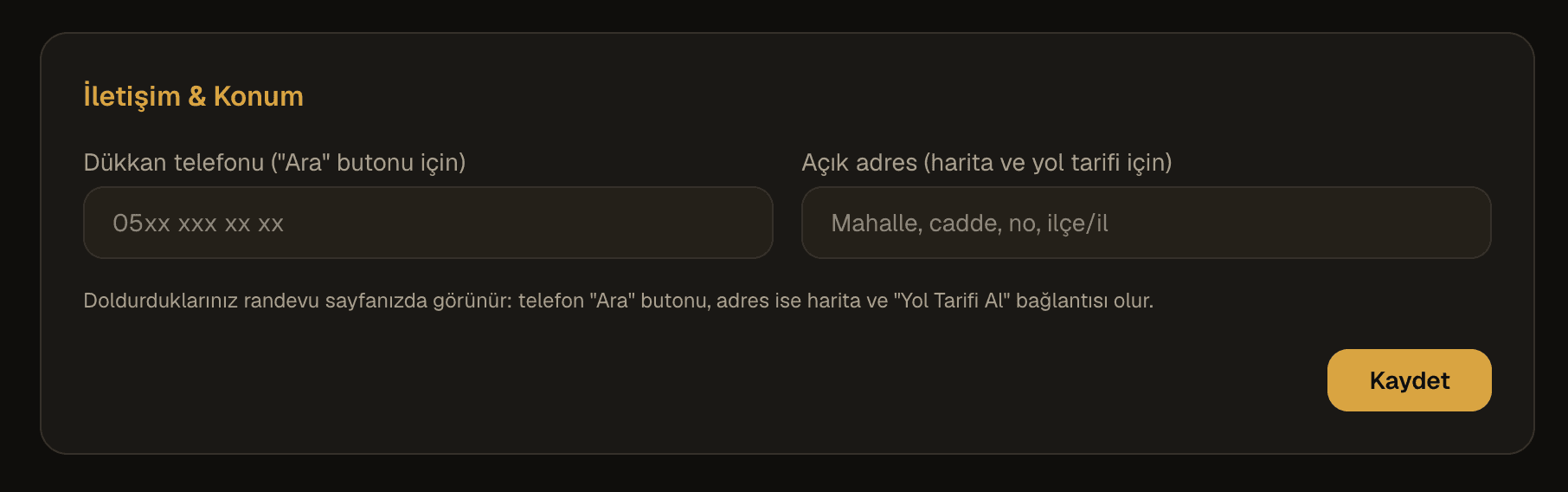
These screens come from the live product. The demo shop's contact details were replaced with placeholder values for the screenshots.
The customer side
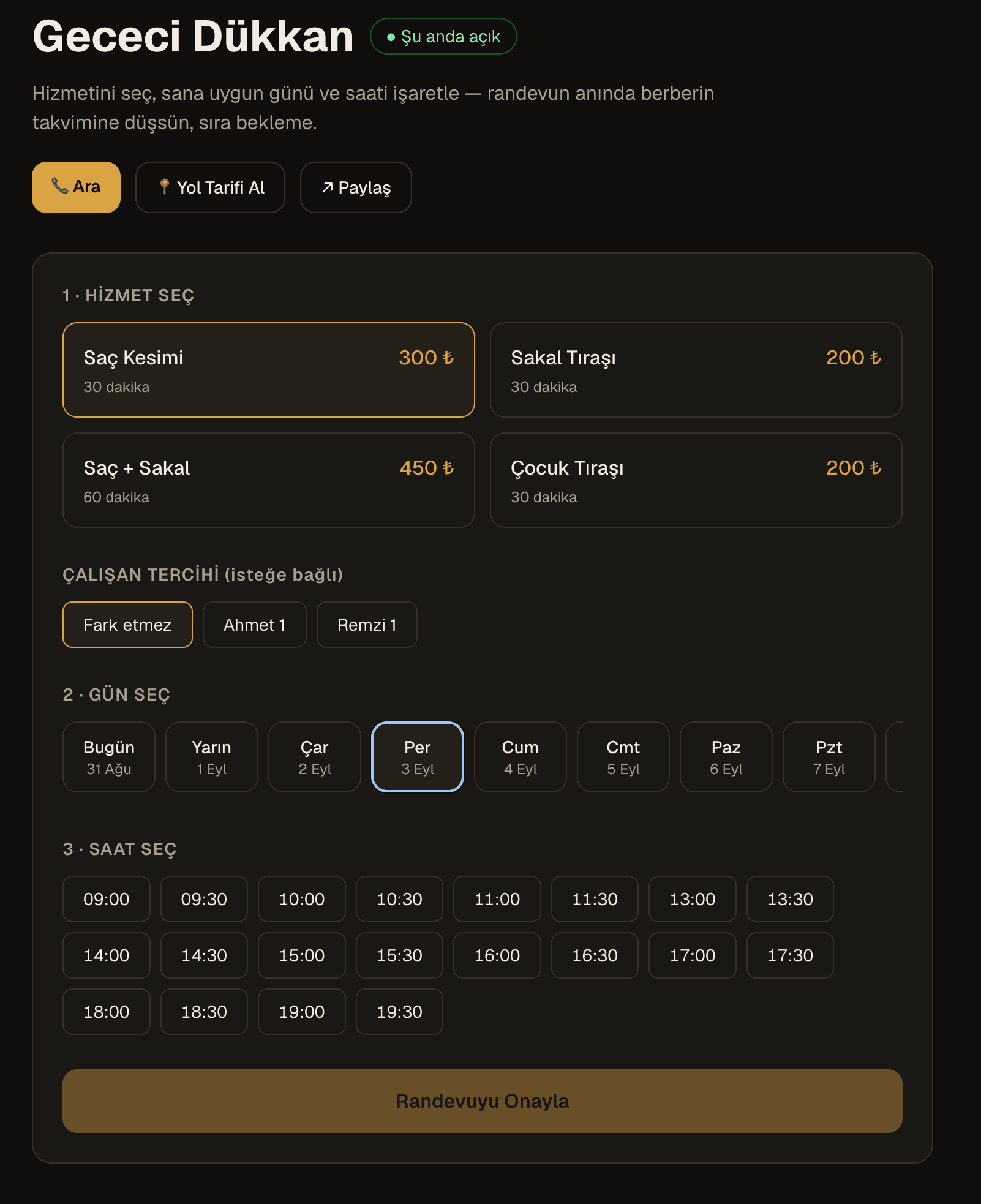
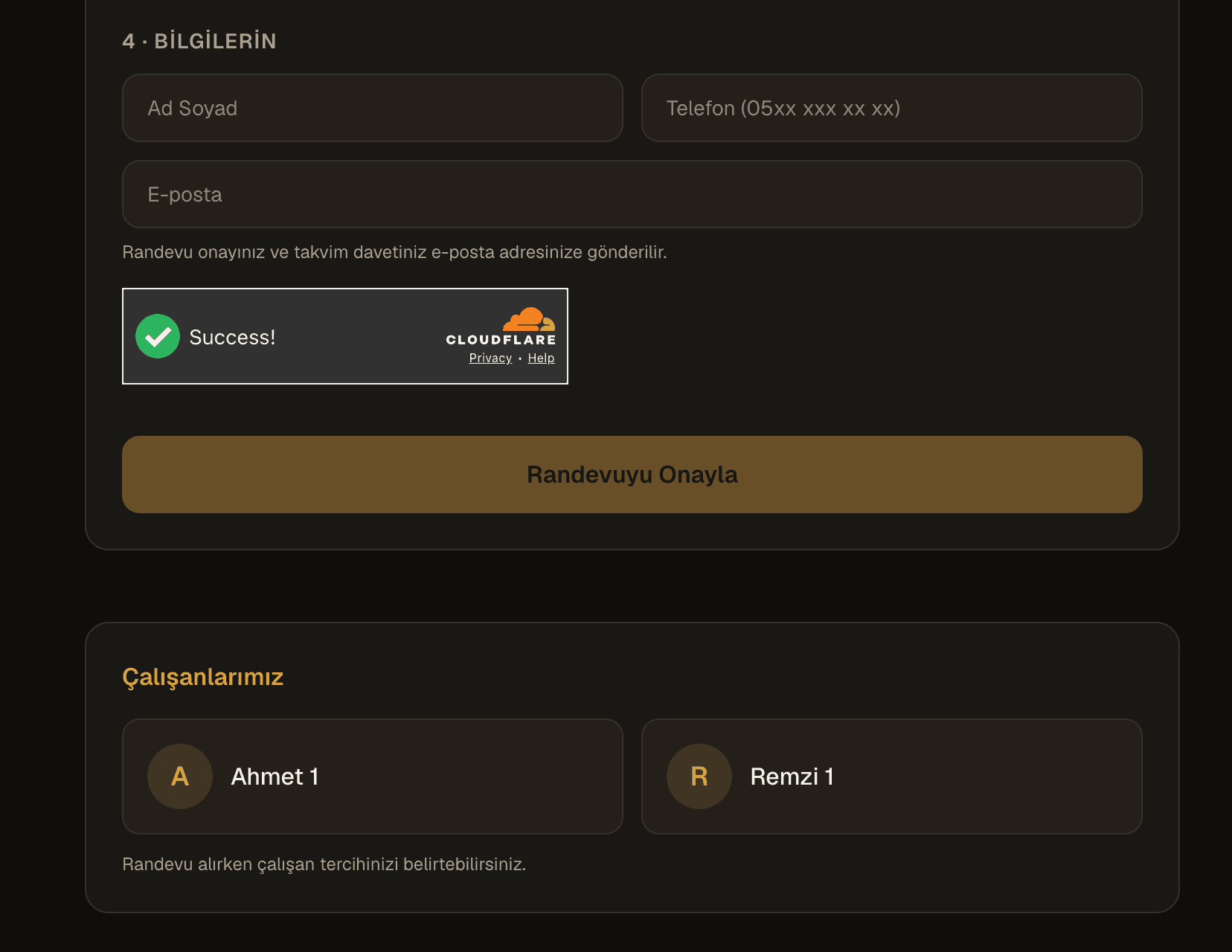
The booking page: service, barber, day and time. Unavailable slots never appear, and bot protection sits under the form.
The barber's panel
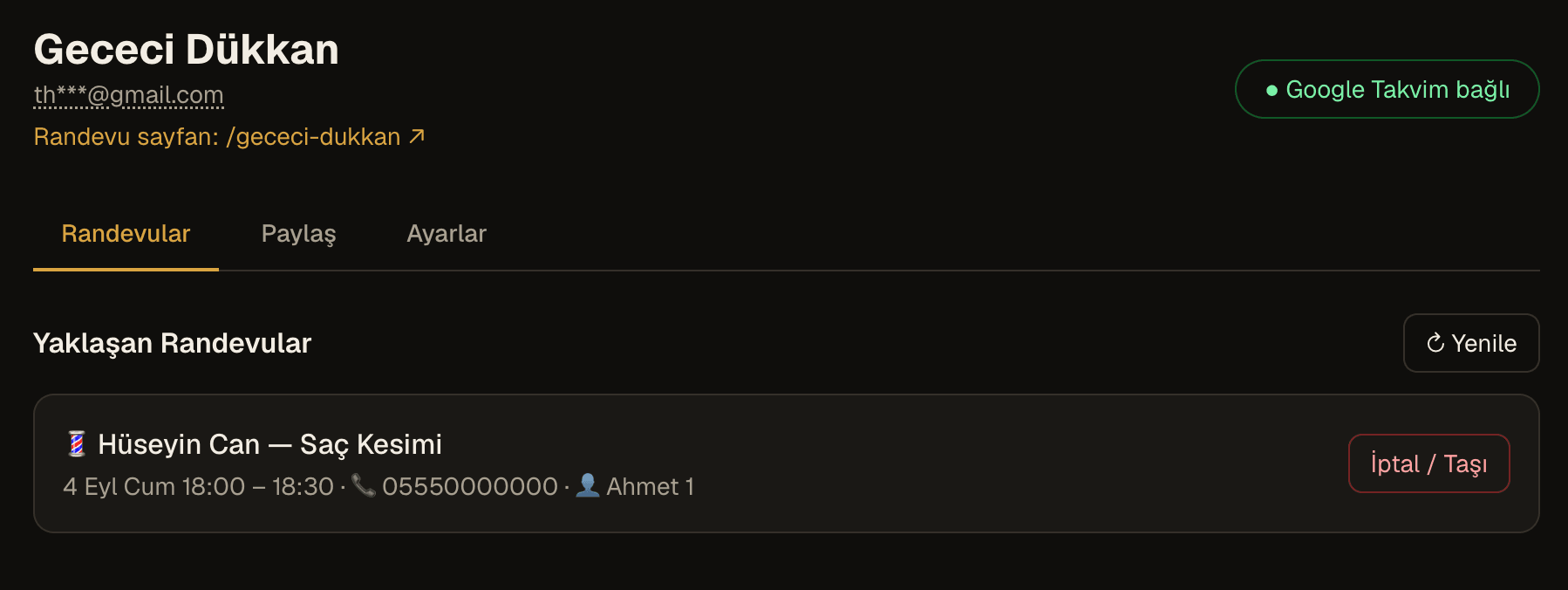
Upcoming appointments in one list; cancelling and rescheduling happen here, and every action emails the customer.
Sharing and QR
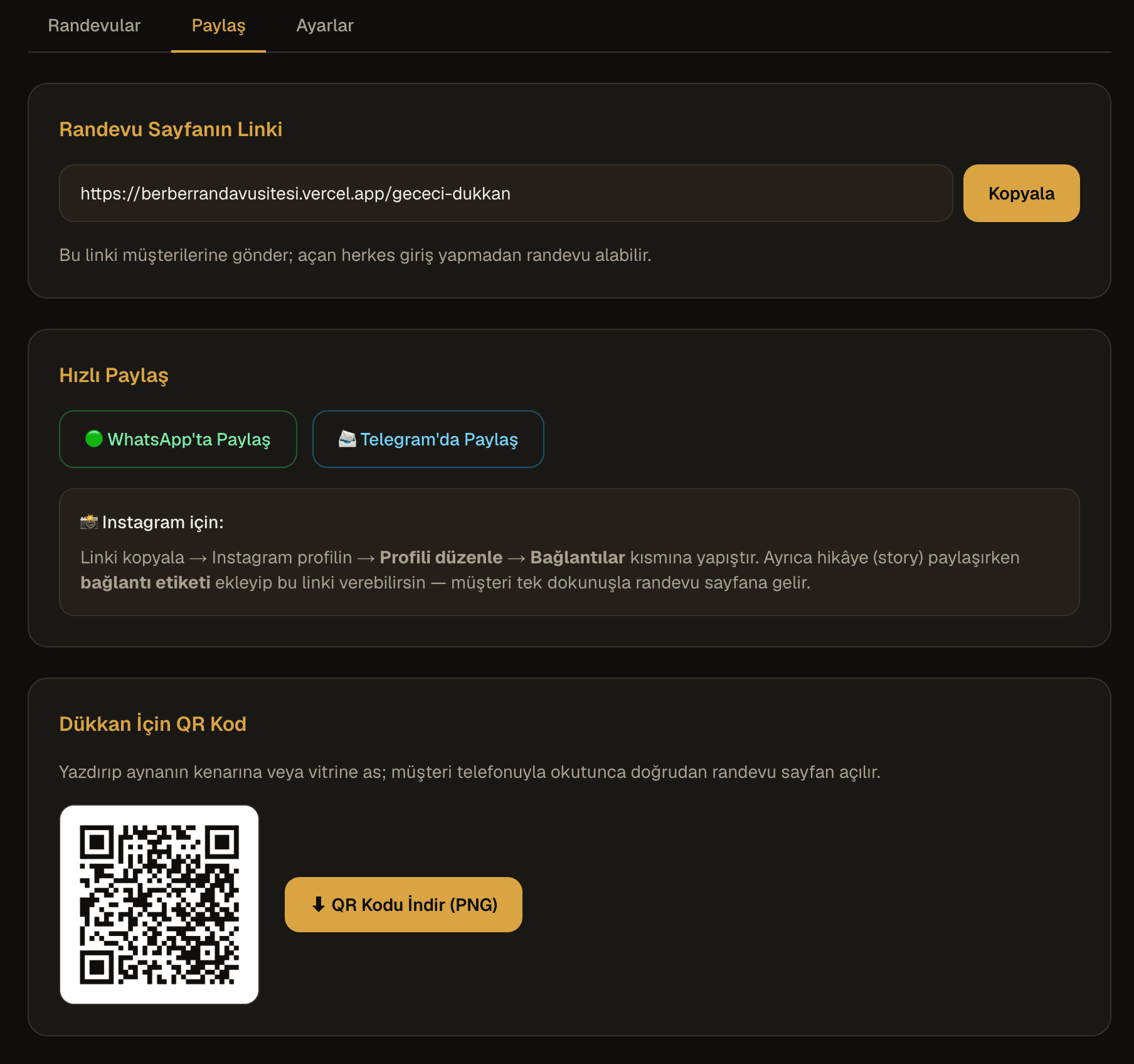
The booking link copies in one tap, with ready-made flows for WhatsApp and Instagram, plus a printable QR code for the shop window.
Settings
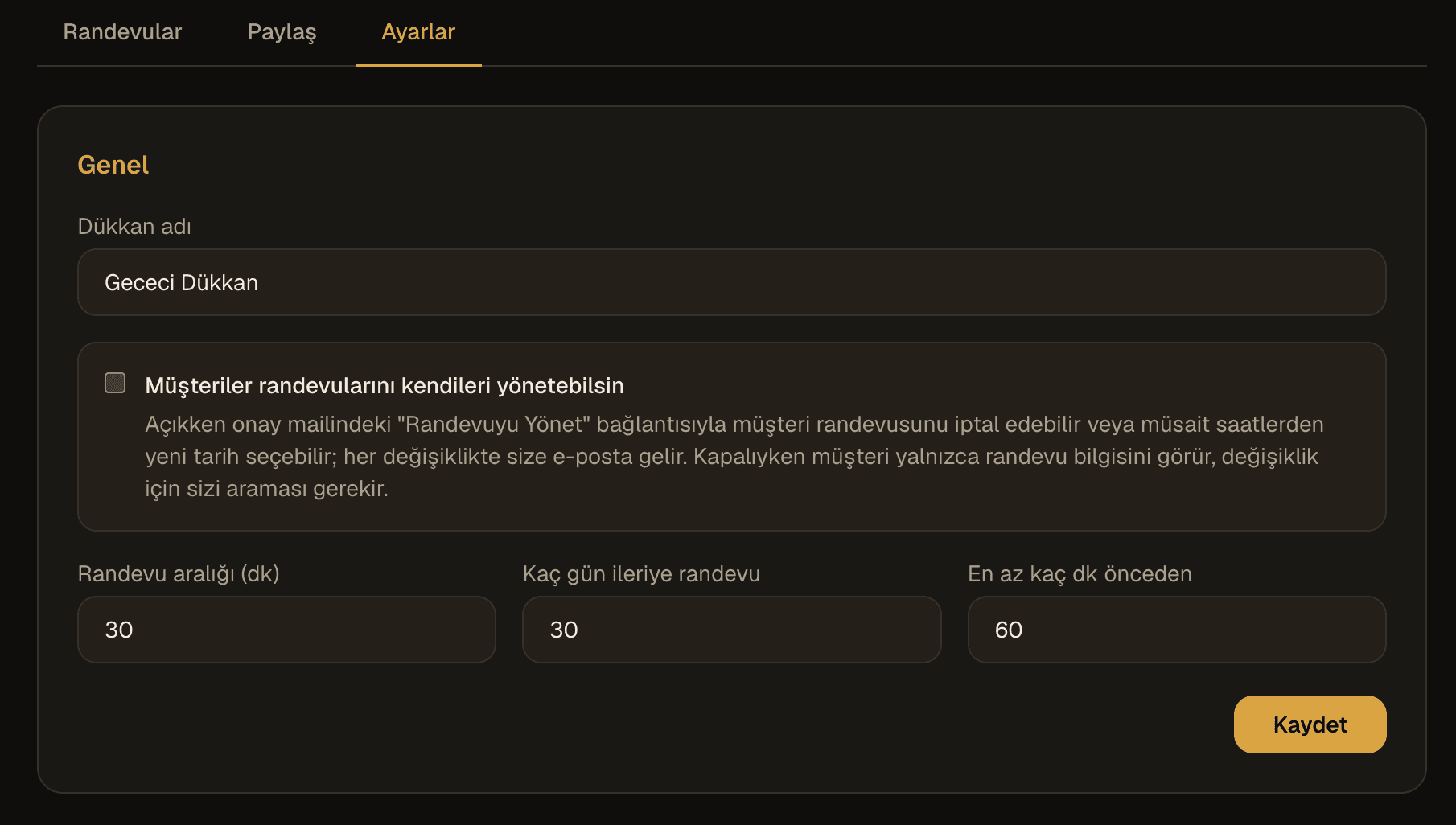
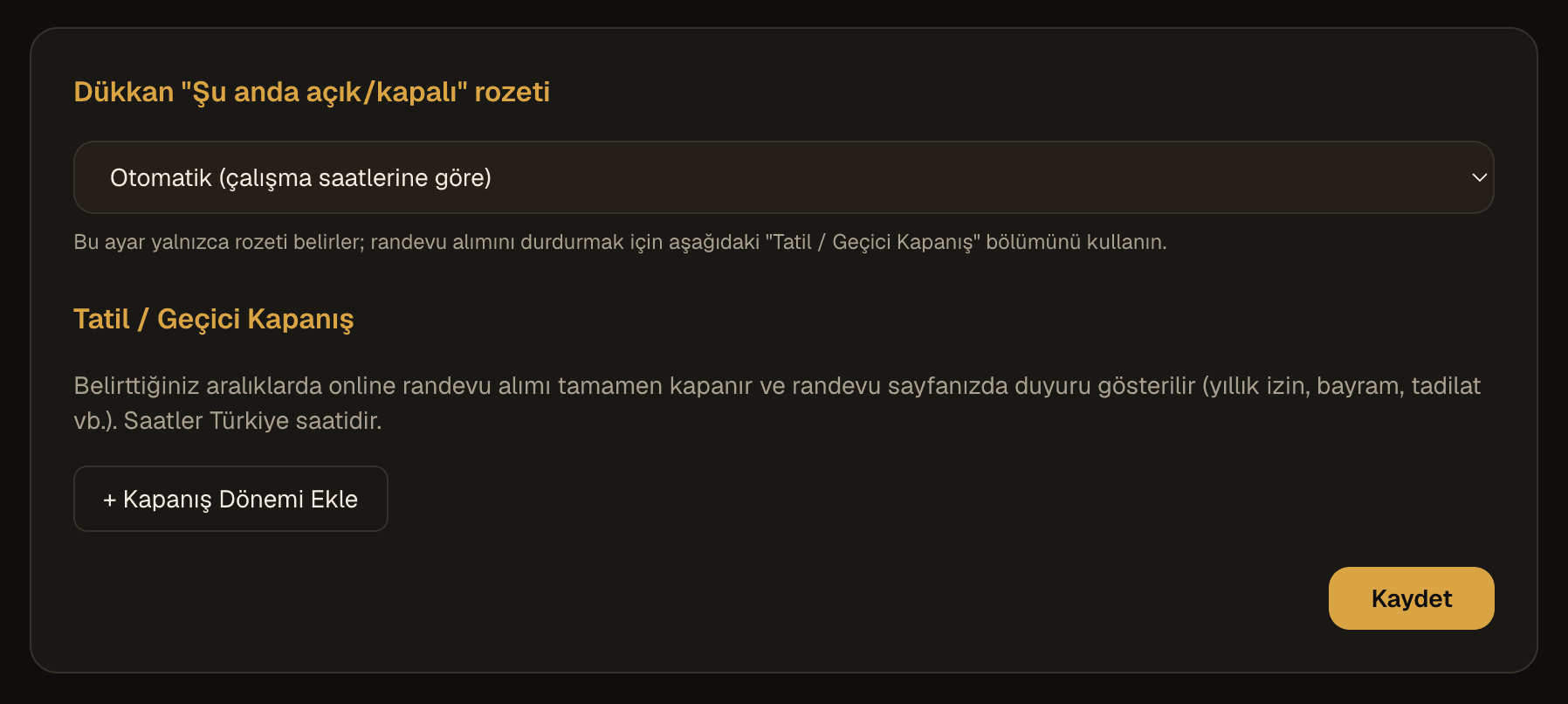
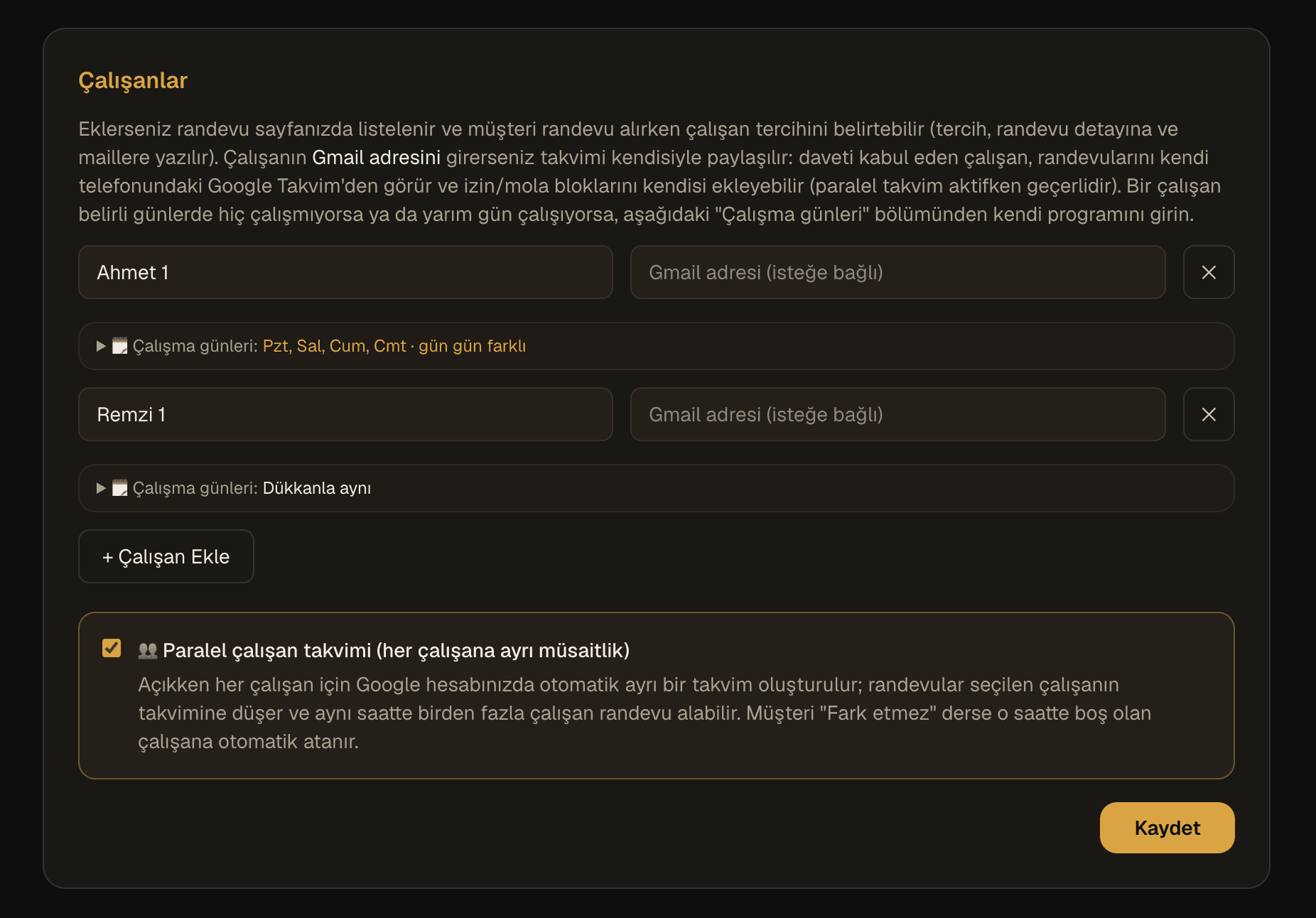
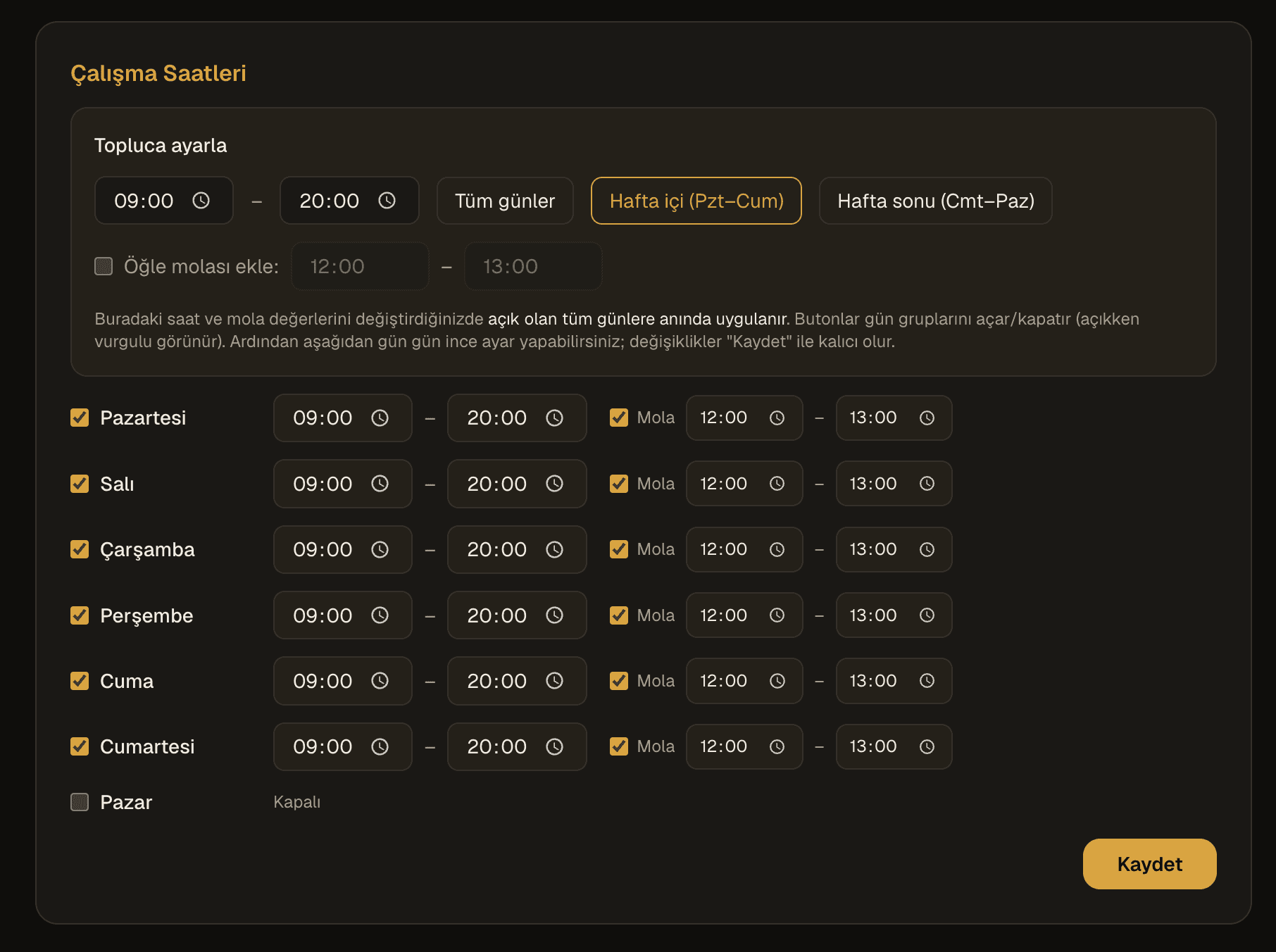
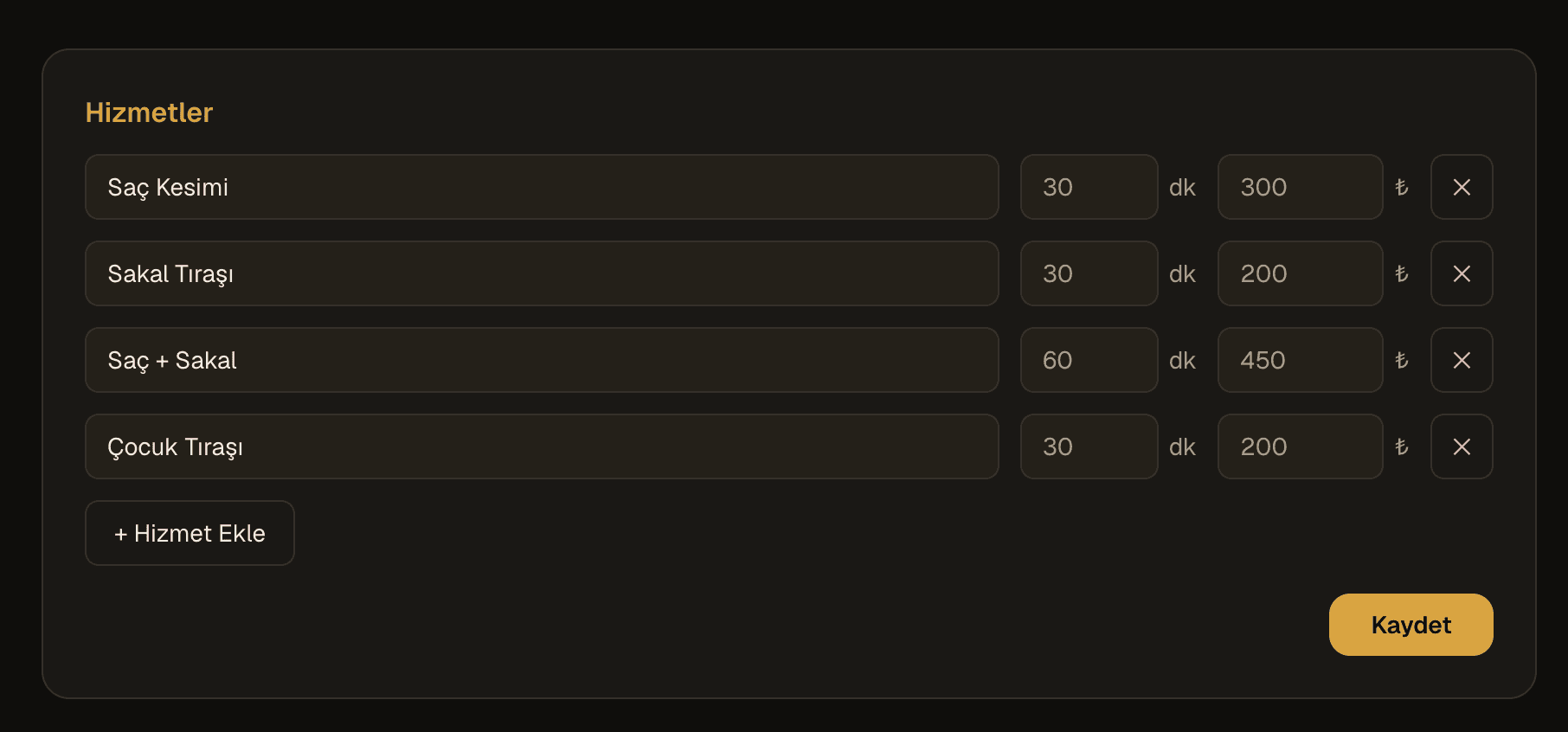
Shop rules, the open/closed badge, holiday periods, contact details, staff and parallel calendars, working hours and the service list — all under the barber's control.
Try the product right here
The form below is not a screenshot — it is the working Berber Randevu booking page itself, embedded in this page. Pick a service, a barber, a day and a time, and walk through the whole flow.
This is a demo shop; an appointment made here does not reach a real business.
Staff management
A one-chair shop and a salon with several barbers do not need the same thing. The system covers both:
- Customers can pick a specific barber or choose “no preference”.
- In parallel-calendar mode each staff member gets their own Google Calendar, two barbers can be booked for the same hour, and a customer with no preference is assigned automatically to whoever is free.
- Adding a staff member's Gmail address shares their calendar with them: they see only their own appointments on their phone and can block out hours by adding busy events.
- Every staff member has their own weekly schedule, intersected with the shop's hours — full day, half day, or not working at all. Customers only ever see genuinely available slots.
- Holidays and sick leave are entered per person, as full days or specific hours; they close only that barber while the shop and the rest of the team carry on.
Who hears about what, and when
Reminding people is the real job of a booking system. Every email goes out from one branded template, and delivery is retried automatically on transient failures.
| Event | Notified |
|---|---|
| New booking | Customer + barber |
| Rescheduled or cancelled from the panel | Customer |
| Moved or deleted inside the calendar | Customer + barber + staff member |
| Changed by the customer | Customer + barber |
| Reminder (~75 min before) | Customer + barber |
| Calendar connection lost | Barber |
A shop page that removes the need for a website
Every shop gets its own shareable page: a live open/closed badge, a one-tap call button, address, map and directions, the staff list, an opening-hours table and the booking form. Shared on WhatsApp or social media, the link renders as a preview card carrying the shop's name rather than a bare URL. The panel's share tab copies the link in one tap and offers a printable QR code for the shop window or the mirror.
Security and resilience
Against fake bookings
Cloudflare Turnstile bot protection and rate limiting keep the calendar free of junk entries.
Rules enforced on the server
Bypassing the interface cannot book a closed hour or an unavailable staff member.
Encrypted calendar access
Google access tokens are stored AES-256-GCM encrypted, and the system touches the calendar only for booking operations.
Daily backups and a health panel
Automatic daily backups are kept for 30 days; the database, calendar connections, email and scheduled jobs are all monitored from one screen.
Technical setup
Built with Next.js and running on Vercel; data lives in Upstash Redis and calendar operations go through the official Google Calendar API. Sync reconciliation and reminders run on a scheduled job every five minutes. The whole stack is managed cloud services — there is no server to maintain.
Why four days?
Everything above — the calendar integration, two-way sync, staff schedules, six separate notification flows, the shop page and the security layer — was finished in four days, working alongside Claude with our AI-assisted development process. It is our own proof of the “a working product in a week” approach this site is built on.
Where it stands today
The system went live at the end of the fourth day and has been running in a real barbershop since. It launched recently, so we have no large usage numbers to quote; every feature described here comes from working code rather than a plan, and you can try it yourself in the live demo.